
Searching for a Warrant in Hutchinson County
The HCSO warrant hub is the county's first online route. It branches to County Warrants, JP1, and JP2 rather than one combined lookup. Each public page exposes a Defendant Name label and a weekly-update notice. The list is a starting point for those scopes, not a current instrument or all-courts index.
Use the court and identifier shown on a ticket or notice. The public inspection did not verify whether the field accepts partial names or requires another detail, so do not assume a search format. If the record may be in a city case, contact that city's municipal court. A possible match should be checked with the issuing clerk before taking action.
- Select County, JP1, or JP2 from the HCSO hub based on the court that issued the case.
- Enter the name shown on the paperwork in the Defendant Name field; field rules were not exposed.
- Call HCSO at 806-274-6343, JP1 at 806-878-4024, or JP2 at 806-273-0103 for confirmation.
- For a city citation, contact Borger, Fritch, or Stinnett Municipal Court instead of relying on the county list.
- For a county or district case, ask the County Clerk or District Clerk how to reach the case portal.
Three Hutchinson County Search Scopes
The sheriff pages keep three scopes apart. County Warrants directs questions to 806-274-6343. JP1 gives 806-878-4024, and JP2 gives 806-273-0103. All three show the same Defendant Name label and state that the list updates weekly. The public view did not expose the current result table, required-field setting, submit control, or partial-name rules. Treat each page as a separate lookup and call the listed office if the form does not answer the status question.
Texas has no single public statewide warrant-search database. A missing name on one HCSO page does not rule out a municipal, district, county, federal, sealed, or juvenile record held elsewhere.
Warrant Search Fields Explained
The public HCSO pages show one field label. The inspection did not reveal whether it is mandatory, whether first and last names are split, or whether a partial entry returns a broader set. These unknowns matter for a common name, so ask the relevant office rather than treating a failed submission as a no-record result.
| Field Label | Type | Required | Notes |
|---|---|---|---|
| Defendant Name | Visible name field | Not established | Partial-name behavior and exact submit control were not exposed. |
| Search scope | Separate county, JP1, and JP2 pages | Choose one page | The hub separates the records by court scope. |
| Update notice | Page text | Not applicable | Each HCSO list says it is updated weekly. |
Odyssey Does Not Show an Open Search
The District Clerk and County Clerk link the same Hutchinson County Courts Records Inquiry portal. During review, its public route redirected to a User ID and Password screen. The visible page did not establish anonymous search fields or which warrant entries appear. That login view is not proof the records are confidential; ask the clerk for public access instructions and identify the court level first.
The District Clerk's county page lists felony case-file contacts. The County Clerk keeps county-court misdemeanor and county-record files. Both offices can point to the proper portal route, but neither replaces the JP or municipal clerk for a lower-court case.
The county portal's visible landing screen was captured without entering a name.
District Clerk portal information links the service shown here.
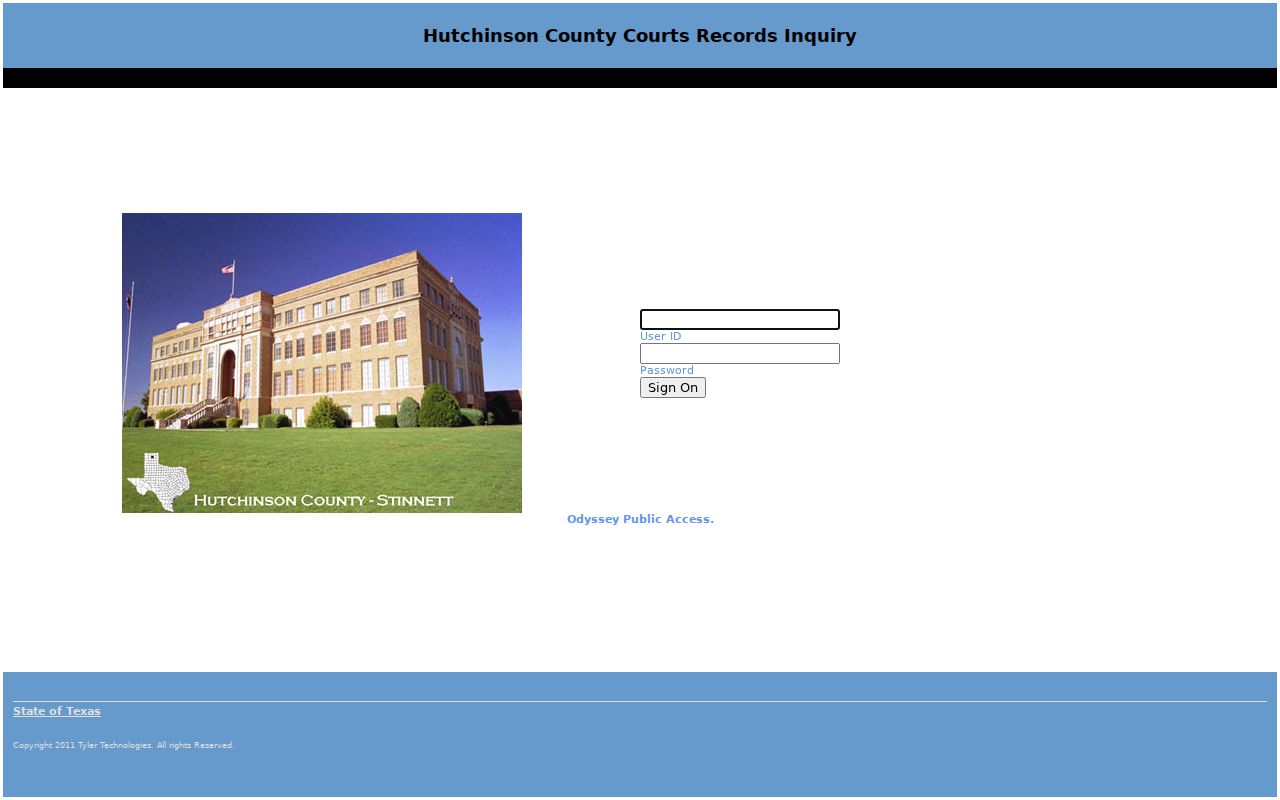
Contact the clerk if the login prompt blocks the case search you need.
What a Warrant Search Shows
The current HCSO result schema could not be verified because no dynamic row was rendered. A 2018 JP1 PDF is useful only as a historical field inventory. It lists categories that may help a caller identify the case, but it should not be presented as the live website's output or copied as a person record.
| Record label | Older list used Warrant, Capias, and Violate Promise to Appear. |
|---|---|
| Case and offense | Case or citation, offense, and date were separate columns. |
| Amount and status | Bond or fine and status/date appeared in the archive. |
| Issuing source | Location and issuing authority were also shown. |
| Sample marker | 2018 JP1 archiveSchema only; no current row or identifying detail. |
When Hutchinson County Results Disagree
A Borger city-court list may differ from HCSO's County, JP1, and JP2 pages. Borger warns that its municipal list may not be current and should not be relied on for arrest or other purposes. HCSO Most Wanted is curated and is not a full search. A page that does not show a record cannot resolve a question about another court's file.
Compare the issuing court and case number on the paperwork, then call that court. If the page will not load, call the office printed beside the search route. A Borger public-record form is another route for an existing record request, but its stated 10-working-day notice is not a warrant-status response time.
Where to Check Warrants in Hutchinson County
Use the District Clerk for felony case files, the County Clerk for county-court misdemeanors, JP1 or JP2 for precinct matters, and a municipal clerk for a city citation. HCSO's weekly pages provide County, JP1, and JP2 routes. Borger has a separate city list, while Fritch has a direct court phone and Stinnett has a citation portal without a visible warrant search.
Texas DPS handles FTA/FTP license-renewal consequences after a court report; it is not a statewide public warrant search. Federal cases in the Northern District of Texas, Amarillo Division, use a separate docket route through PACER or a public terminal.
Hutchinson County Records Requests
For an existing public record, make a narrow request to the government body that holds it. The Borger request form asks for contact and request details, includes record categories and search tools, and uses reCAPTCHA. It states a 10-working-day notice. No fee schedule or identification requirement was visible in the form inspection, so confirm any cost or added requirement with the city.
The Texas Public Information Act is in Government Code Chapter 552. Requests go to the responsible office, not to a search box or crime-tip form. The County Clerk says it has no duty to search public records for an unspecified subject; describe the record, case, and date range you need.
Hutchinson County Court-Level Confirmation
Before contacting an office, read the court caption at the top of the citation, bond paper, or notice. A district felony, County Court misdemeanor, JP traffic case, and municipal ordinance case use separate dockets. The county has the 84th and 316th District Courts, one constitutional County Court, JP1 and JP2, and three listed municipal courts. A nearby town name alone does not identify which judge issued process.
If paperwork is missing, give the clerk the name and any known date or citation detail and ask which office can identify the cause. The District Clerk and County Clerk can route questions about their own records, but neither certifies a countywide search across every lower court.
Restricted Warrants and Access Rules
Public-information rules do not make every warrant record public at every stage. Texas law allows exceptions for some law-enforcement information, and juvenile records have separate limits. Federal sealed warrant material may also be unavailable through an ordinary public docket. Ask the office to explain whether a specific record exists and whether an exception applies.
Key Rules:
Government Code Chapter 552 provides access rules and exceptions for government-held information.
Family Code Chapter 58 sets limits for juvenile records.
A blank list is not confirmation that no record exists; ask the issuing court or sheriff for current status.